Microsoft 365 Automation & Integration
Your team already lives in Microsoft 365 — we make it work harder for you. We design, build, and optimize Power Automate flows, SharePoint workflows, and M365 integrations that deliver measurable time savings for small and midsize teams.
At a glance
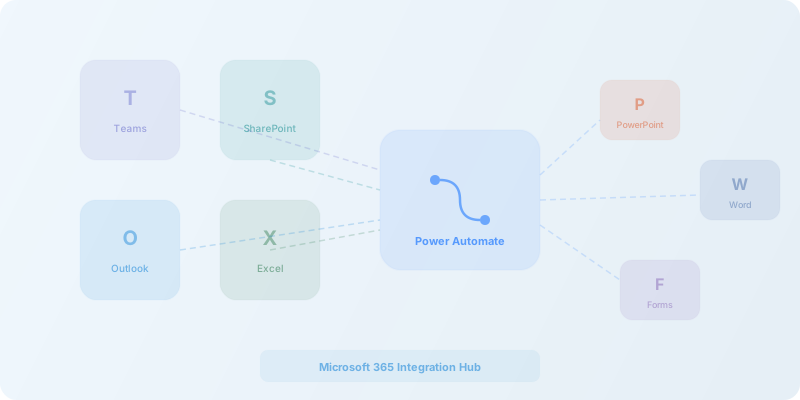
Microsoft 365 is the right foundation for automation when your organization already runs on Outlook, Teams, SharePoint, and Excel. SmartFlow builds production-grade Power Automate flows with proper error handling, connects M365 to your external business tools, and designs SharePoint document workflows that actually get adopted by your team.
What we do with Microsoft 365
Example M365 automation use cases
- Document approval workflows in SharePoint with Teams notifications and email alerts
- Automated invoice processing from Outlook attachments to QuickBooks
- Employee onboarding flows across Teams, SharePoint, Outlook, and HR systems
- Sales report generation from Excel data with automated email distribution
- Calendar-based project tracking with automatic task creation in Planner or external tools
- Customer inquiry routing from shared mailboxes to CRM with auto-categorization
Is M365 automation the right fit?
- Your organization already runs on Microsoft 365
- You want to leverage Power Automate within your existing license
- You need document and approval workflows in SharePoint
- Your team lives in Teams and Outlook
- You want enterprise-grade security and compliance
- Your team primarily uses Google Workspace
- You need automation across primarily non-Microsoft tools
- You want a visual builder simpler than Power Automate
- Your M365 license tier does not include Power Automate premium
M365 automation FAQ
Do we need Power Automate premium or is the standard license enough?
It depends on the connectors your workflows require. Standard connectors like SharePoint, Outlook, and Teams are included in most Microsoft 365 plans. Premium connectors — for tools like Salesforce, SAP, or SQL Server — require a Power Automate premium license. We audit your requirements and recommend the right tier before building anything.
Can you connect Microsoft 365 with non-Microsoft tools?
Yes. Power Automate has hundreds of connectors, including premium and custom connectors for non-Microsoft apps. When a native connector is not available or cost-effective, we use external platforms like Zapier or Make to bridge the gap and keep your workflows reliable.
How does Power Automate compare to Zapier or Make?
Power Automate excels within the Microsoft 365 ecosystem — deep integration with SharePoint, Teams, Outlook, and Dataverse is unmatched. For cross-platform automation involving many non-Microsoft apps, Zapier or Make often have broader catalogs and simpler setup. We frequently combine Power Automate with Zapier or Make to give clients the best of both worlds.
Can you automate SharePoint document workflows?
Yes, this is one of our most common engagements. We build approval chains, metadata tagging, retention policies, version control workflows, and document routing — all triggered automatically when files are uploaded or modified in SharePoint libraries.
What about security and compliance?
Microsoft 365 automation inherits your tenant's security policies, data loss prevention rules, and compliance certifications. Flows run within your organization's Azure AD boundary, so permissions, conditional access, and audit logging all apply. We design automations to respect your existing security posture, not work around it.
Ready to unlock your Microsoft 365 investment?
Whether you are building new workflows or streamlining what you already have, we can help.