Make.com Consulting & Automation
Make.com is the visual automation platform built for complex workflows. We design, optimize, and maintain Make scenarios with advanced branching, data transformations, and cost-effective integrations for small and midsize teams.
At a glance
Make.com (formerly Integromat) is the right choice for teams that need complex branching logic, heavy data transformations, and budget-friendly operations-based pricing. SmartFlow builds production-grade scenarios with routers, error handlers, and full documentation — and audits existing workspaces to reduce costs and improve reliability.
What we do with Make
Example Make use cases
- Multi-branch lead processing with enrichment and CRM routing
- E-commerce order processing across inventory, shipping, and accounting
- Automated report generation and distribution from multiple data sources
- Customer onboarding workflows with conditional document generation
- Cross-platform data synchronization between CRM, ERP, and marketing tools
- Support ticket routing with sentiment analysis and priority assignment
Is Make the right fit?
- You prefer a visual workflow builder with drag-and-drop logic
- Your automations require complex branching and conditional paths
- You are budget-conscious and want operations-based pricing
- Your workflows involve heavy data transformation and parsing
- You need granular error handling at the individual module level
- Your team prefers a code-first automation approach
- You need self-hosting capability for your automation platform
- You require the absolute largest native app catalog available
- Your workflows have minimal technical complexity or branching
Make consulting FAQ
How does Make pricing compare to Zapier?
Make uses operations-based pricing rather than task-based pricing. A single scenario run can consume multiple operations (one per module executed), but complex multi-step workflows often cost significantly less than the equivalent on Zapier. We help clients model their expected volume and choose the plan that makes the most financial sense.
Can you migrate our Zapier workflows to Make?
Yes. Zapier-to-Make migration is one of our most common engagements. We assess which workflows will benefit most from the move — typically those with heavy branching, data transformation, or high task volume — and rebuild them as optimized Make scenarios with full documentation.
What is a Make scenario vs a Zapier Zap?
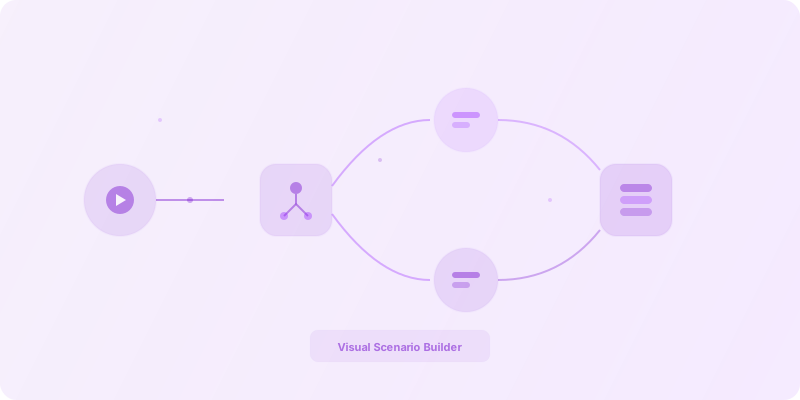
A Make scenario is a visual flowchart where each node is a module. Unlike linear Zaps, scenarios support routers that split execution into parallel branches, iterators that loop over arrays, and aggregators that combine results — all without writing code. This makes Make especially powerful for workflows that need conditional logic at every step.
How long does a typical Make project take?
Simple scenarios with a few modules and straightforward logic can go live in three to five days. More complex workflows involving multiple branches, error handling, and integrations typically take two to four weeks. Enterprise migrations from another platform usually run four to eight weeks depending on scope.
Do you provide Make training for our team?
Yes. Every engagement includes documentation and training so your team can confidently maintain and extend the scenarios we build. We cover scenario design fundamentals, error handling best practices, and operational monitoring so your team is self-sufficient from day one.
Ready to build smarter workflows?
Whether you are starting fresh or optimizing an existing Make workspace, we can help.