HubSpot Automation & Integration
Your CRM should work for you, not the other way around. We design HubSpot workflows, lead scoring, and integrations that eliminate manual work and keep your sales and marketing teams aligned.
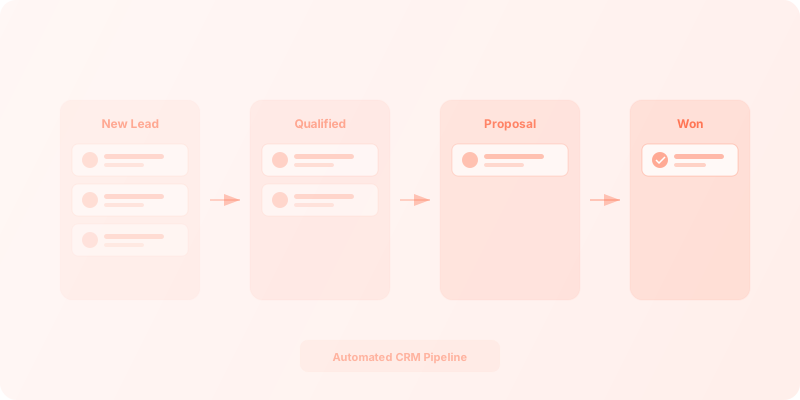
At a glance
HubSpot is a powerful CRM, but most teams only scratch the surface of what it can do. SmartFlow builds the workflows, lead scoring rules, and cross-platform integrations that turn HubSpot into the operational backbone of your business — connecting your CRM to accounting, project management, and communication tools.
What we do with HubSpot
Example HubSpot automation use cases
- Automated lead scoring and routing based on engagement, company size, and industry
- Deal-to-invoice automation connecting HubSpot with QuickBooks or Xero
- Customer onboarding sequences triggered by deal closed-won status
- Marketing-to-sales handoff with Slack notifications and task creation
- Contact enrichment from third-party data providers on form submission
- Renewal and upsell pipeline management with automated reminders
Is HubSpot automation the right fit?
- HubSpot is your CRM and you want to get more out of it
- You need better lead routing and scoring
- You want to connect HubSpot with accounting or project tools
- Your sales and marketing teams are misaligned on lead handoffs
- You have manual CRM processes that slow your team down
- You are evaluating CRMs and haven't committed to HubSpot
- You need enterprise-grade CPQ (configure-price-quote)
- You are on the free tier with no plans to upgrade
- Your CRM needs are minimal
HubSpot automation FAQ
Do we need HubSpot Pro or Enterprise for automation?
Pro is the minimum tier for workflows and most of the automation features we implement. We help clients evaluate which tier fits their needs and budget, so you don't overpay for features you won't use or end up stuck on a plan that can't support the automations you need.
Can you connect HubSpot to tools it doesn't natively integrate with?
Yes. We use Zapier, Make, n8n, or custom API integrations to connect HubSpot with virtually any tool in your stack. If there is an API, we can build the bridge — whether it is a niche industry tool, an internal database, or a legacy system.
How do you handle HubSpot data migration?
We start with careful property mapping between your source system and HubSpot, then run deduplication and validation passes before importing anything. This prevents the messy data problems that plague most CRM migrations and ensures your automations work correctly from day one.
What is the typical ROI of HubSpot automation?
Clients typically save 10 to 15 hours per week on manual CRM tasks within the first month. The biggest gains come from automated lead routing, deal-to-invoice workflows, and eliminating the copy-paste work between HubSpot and other tools your team uses daily.
Do you provide HubSpot training?
Yes. Every engagement includes documentation and hands-on team training on the new workflows we build. We want your team to understand and maintain the automations independently, not depend on us for every small change.
Ready to unlock your HubSpot CRM?
Whether you are setting up HubSpot for the first time or getting more out of an existing instance, we can help.